You do not have to start with a prompt. If you can already picture the initials and their arrangement, build that structure yourself in the Free Traditional Designer. Download the manual design as it is, or use it as the starting point for an AI alternative.
The two paths have different rules:
| Action | Account or credits? | Download |
|---|---|---|
| Arrange traditional letters and symbols | No account; no credits | Free PNG and vector SVG, no watermark |
| Explore the manual draft with AI | Sign-in and available credits required; currently 4 credits per refinement | Free-credit AI previews have a watermark; clean AI files follow the existing paid-access rules |
Opening the AI options or continuing to the generator does not generate an image or charge credits. Your manual original stays free.
1. Pick a Starting Layout
Open the template gallery and choose Edit this template. The editor shows a preview first. Apply it when ready; if the canvas already contains artwork, confirm before replacing it. Cancel to keep your current canvas. Undo can restore the previous layout during the same editing session.
Try one of these built-in layouts:
- Bar R: an upright R above a horizontal bar.
- Rocking B: a B above a curved rocker.
- Double A: two upright A letters side by side.
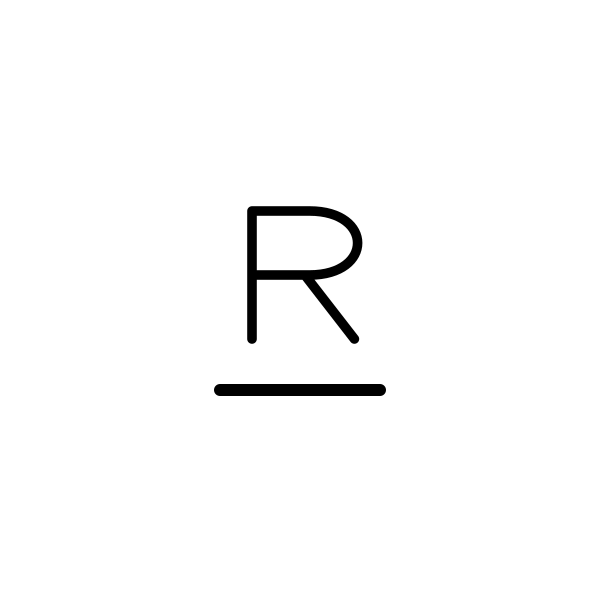
This is our editable demonstration layout, not a customer submission, an AI result, or an available registered brand.
You can also start from a blank canvas. The editor has letters, numbers, symbols, and accents; it is not the freehand Sketch Board inside the AI generator.
2. Adjust the Structure by Hand
Add an element, then select it on the canvas or in the layer list. Drag it into position. Use the controls to rotate, mirror, resize, change stroke width, or move it forward and backward in the stack.
For Bar R, try changing the gap between R and the bar before adding more symbols. If you need a different initial, delete the selected R and add the desired letter from the palette. Check that the intended reading order is still clear.
Use Undo and Redo to compare edits. These controls change your manual drawing only; they do not call an AI model.
3. Download or Save Your Original
Choose Download PNG or Download SVG next to the canvas:
- PNG is 1800 × 1800 pixels.
- SVG contains vector paths, not a bitmap wrapped in an SVG file.
- Enable Transparent background if you do not want the white background.
- Neither manual export needs sign-in, credits, or a watermark. This editor does not offer a direct PDF export.
Expand My local designs to save a named copy. Drafts stay in this browser on this device, not in your account. Clearing browser data can remove them, and Undo history does not survive a reload. Download a file for a lasting backup before replacing important work.
4. Decide Whether AI Adds Something Useful
If you like the manual result, you can stop. AI is optional. Choose Explore with AI when you want to test a specific alternative:
- Refine lines & spacing for a cleaner arrangement.
- Try a compact layout for another composition.
- Add one simple symbol for a personal detail; describe the symbol before continuing.
For example, ask for a small abstract horn rather than a detailed animal illustration. The AI may change letters or geometry, so compare its output with the original rather than assuming it is an improvement.
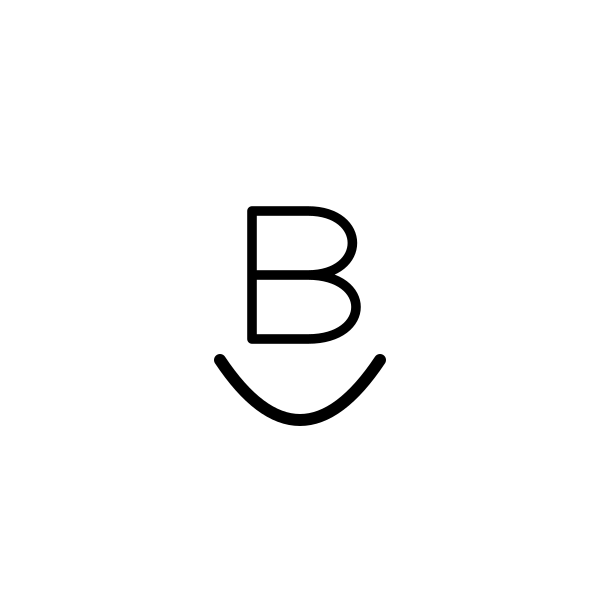
Another manual starting layout, not an AI-refined version of Bar R. Gallery examples illustrate possibilities, not guaranteed output.
5. Continue to AI, Review, Then Generate
Click Continue to AI refinement. Keep using the same browser tab. If signed out, sign in or create an account using the provided link; the callback retains the draft reference.
After sign-in, a new handoff can prepare an empty refinement form once. If the form already contains a reference or prompt, use the explicit replacement button only if you want to replace them. If preparation fails, review the message and retry manually; it will not keep uploading automatically.
Check the reference, prompt, available balance, and displayed cost before clicking Generate. AI refinement currently costs 4 credits. Eligible new accounts may receive limited signup credits; this is not unlimited free AI. Free-credit results have a watermark. Review the pricing and paid options if you want clean AI files and the existing premium benefits.
The same-tab handoff expires after 24 hours. If it is missing or expired, return to the designer and send it again, or upload your downloaded PNG into Refine Brand.
What the Tool Does Not Check
Neither a manual template nor an AI result proves uniqueness, registration availability, or manufacturing suitability. Use the design as a candidate and check it with the relevant registry and your maker before proceeding.